
1 Homepage and navigation
The homepage of the whistleblowing system offers the following main functions:
- Submit a new report — Start a report about a violation or irregularity
- Check report status — View the status of a previously submitted report
- Information — Overview of the system and its legal framework
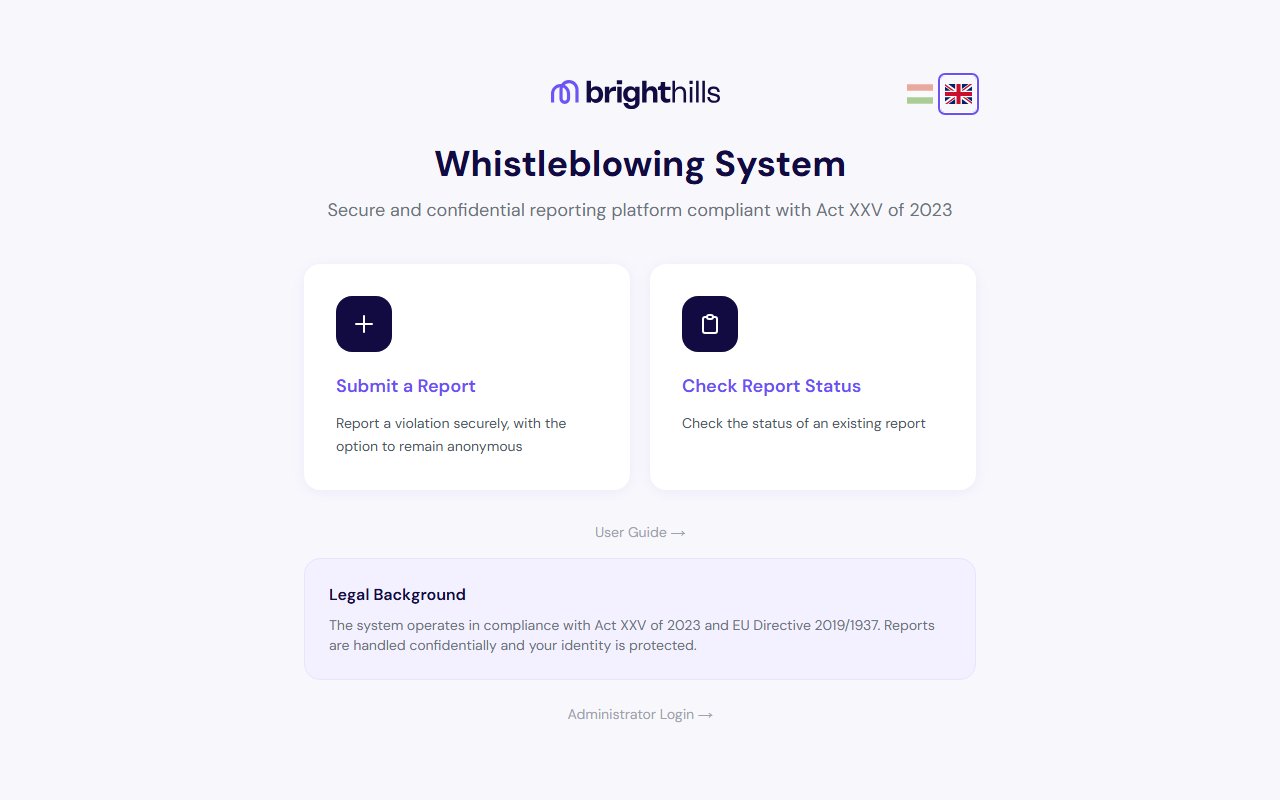
The system operates under Act XXV of 2023, which guarantees reporter protection and the option to report anonymously.
The interface is available in Hungarian and English. You can switch languages at any time by clicking the flag icon in the top-right corner. Status-change notification emails are also sent in your chosen language if you provided an email address.
2 Starting a report
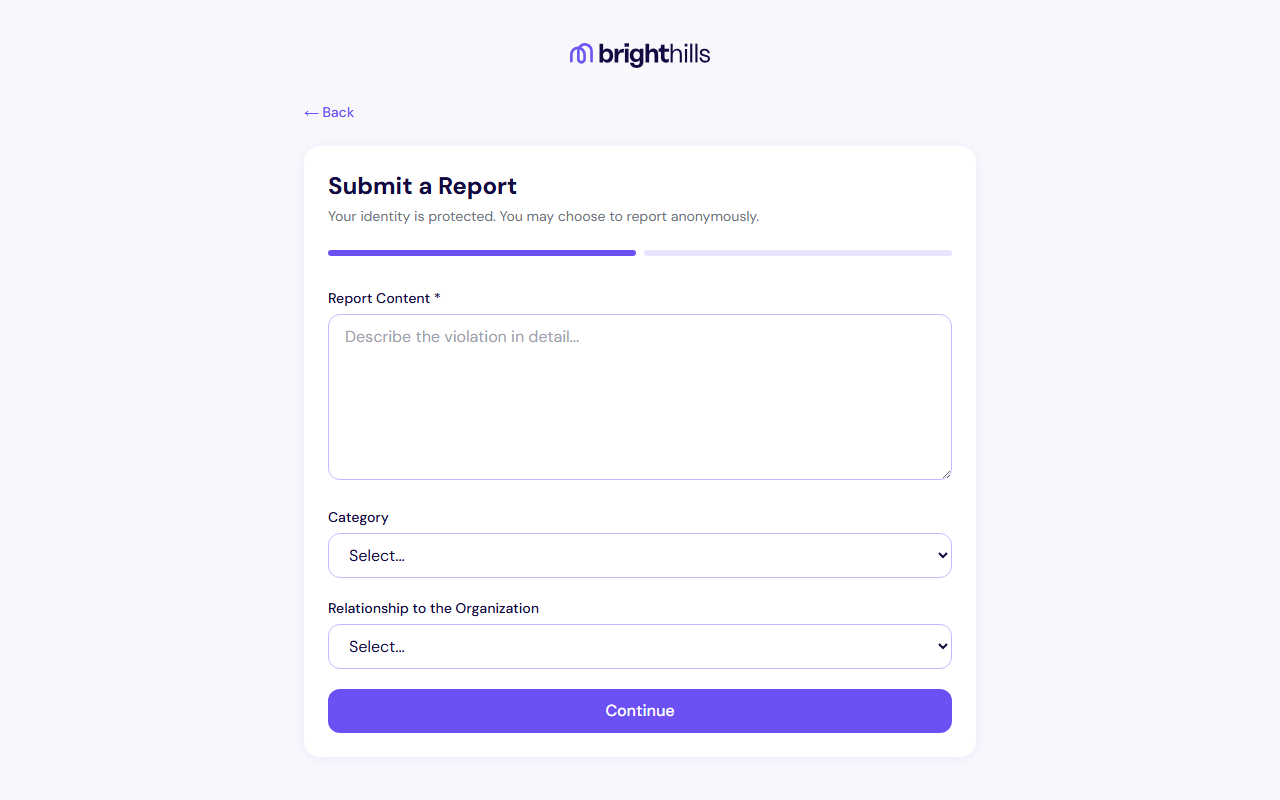
To start a report, click the "Submit a Report" button on the homepage. This will display the first step of the reporting form.
The reporting process consists of two steps:
- Providing the content and category of the report
- Setting anonymity preferences, completing security verification, and finalising the report
3 Filling in the report content
In the first step, fill in the following fields:
- Report content (required) — Describe the violation or irregularity in detail. Try to provide as much relevant information as possible: date, location, persons involved, circumstances.
- Category (optional) — Select the type of report (corruption, fraud, harassment, etc.)
- Relationship to the organisation (optional) — Indicate your relationship to the organisation (employee, contractor, etc.)
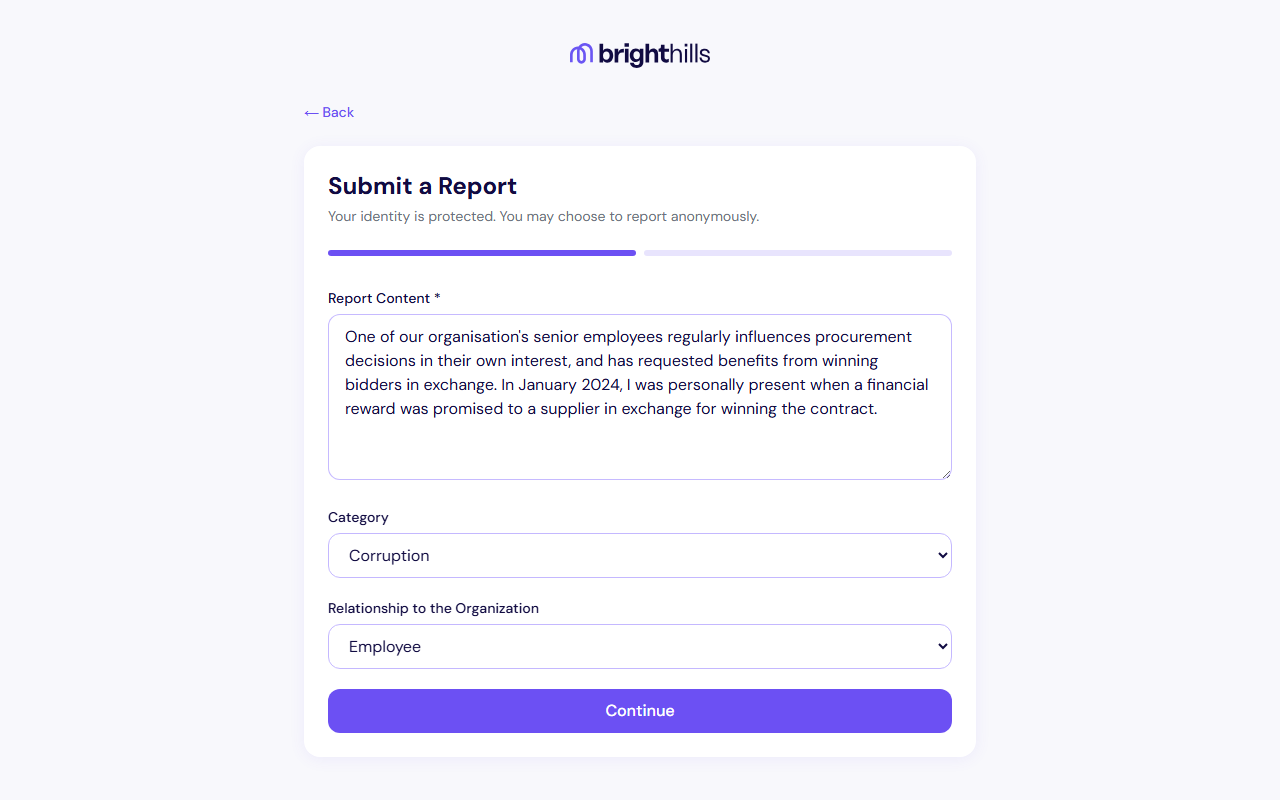
A detailed and factual description helps facilitate the investigation. Avoid opinions and assumptions — instead, describe specific facts and events.
4 Anonymous or identified report
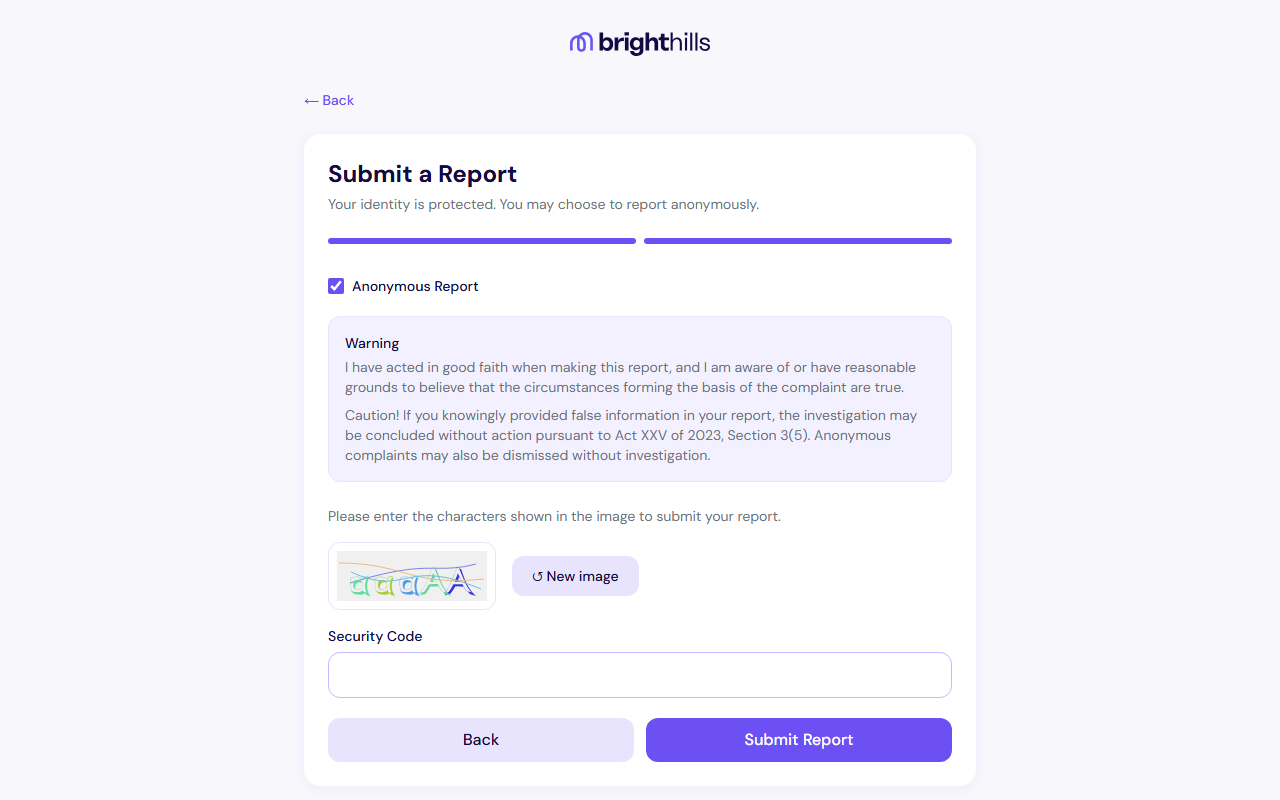
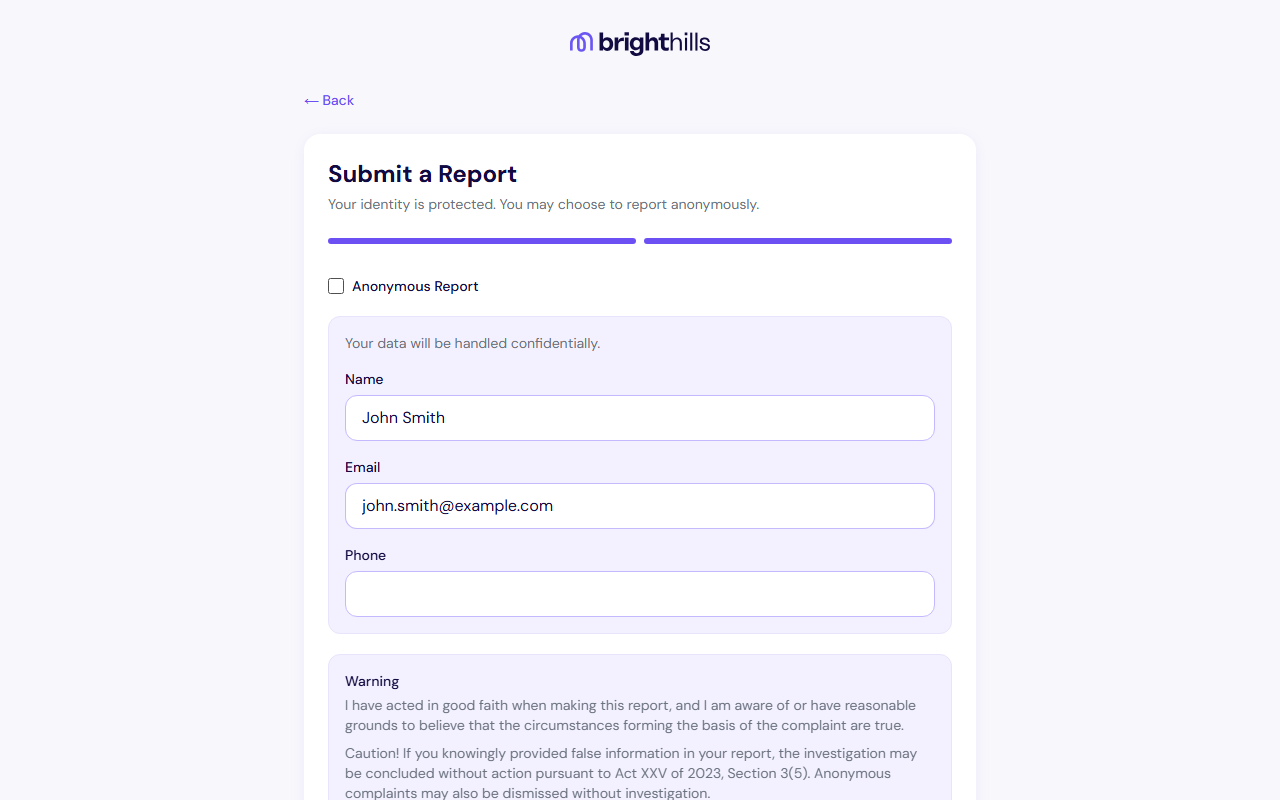
In the second step, you can decide whether to remain anonymous or provide your personal details.
Anonymous report
If you tick the "Anonymous Report" option, your personal data will not be recorded. In this case, the system will only communicate with you through your tracking ID.
Identified report
If you uncheck the "Anonymous Report" checkbox, you can provide your personal details:
- Name
- Email address
- Phone number
The advantage of an identified report is that investigators can contact you directly for additional information.
Security verification (CAPTCHA)
At the bottom of the second step, a security image (CAPTCHA) is displayed. Enter the characters shown in the image into the designated field to submit your report.
- The security code is not case-sensitive
- If the image is difficult to read, click the "↺ New image" button to load a different one
- The "Submit Report" button is only active once the code has been entered
Submitting a report in bad faith, knowing it to be false, may have legal consequences. Only share real and well-founded information.
5 Successful submission and tracking details
After clicking "Submit Report", the system processes and records your report. Upon successful submission, a confirmation page appears with two important pieces of information:
- Tracking ID — Use this identifier to reference your report
- Secret Code — Use this code to check the status of your report
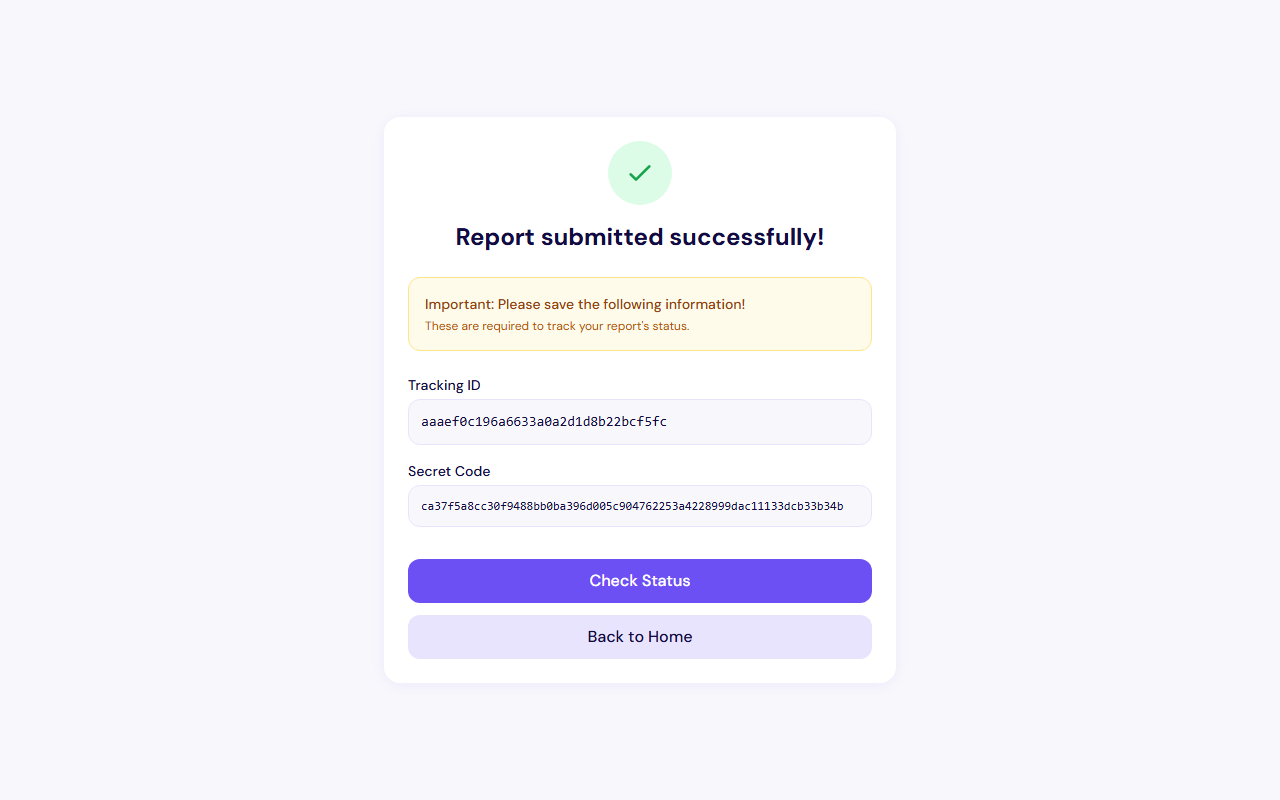
The tracking ID and secret code are essential for viewing your report's status later. These details cannot be displayed again, so be sure to save them in a safe place!
6 Checking your report status
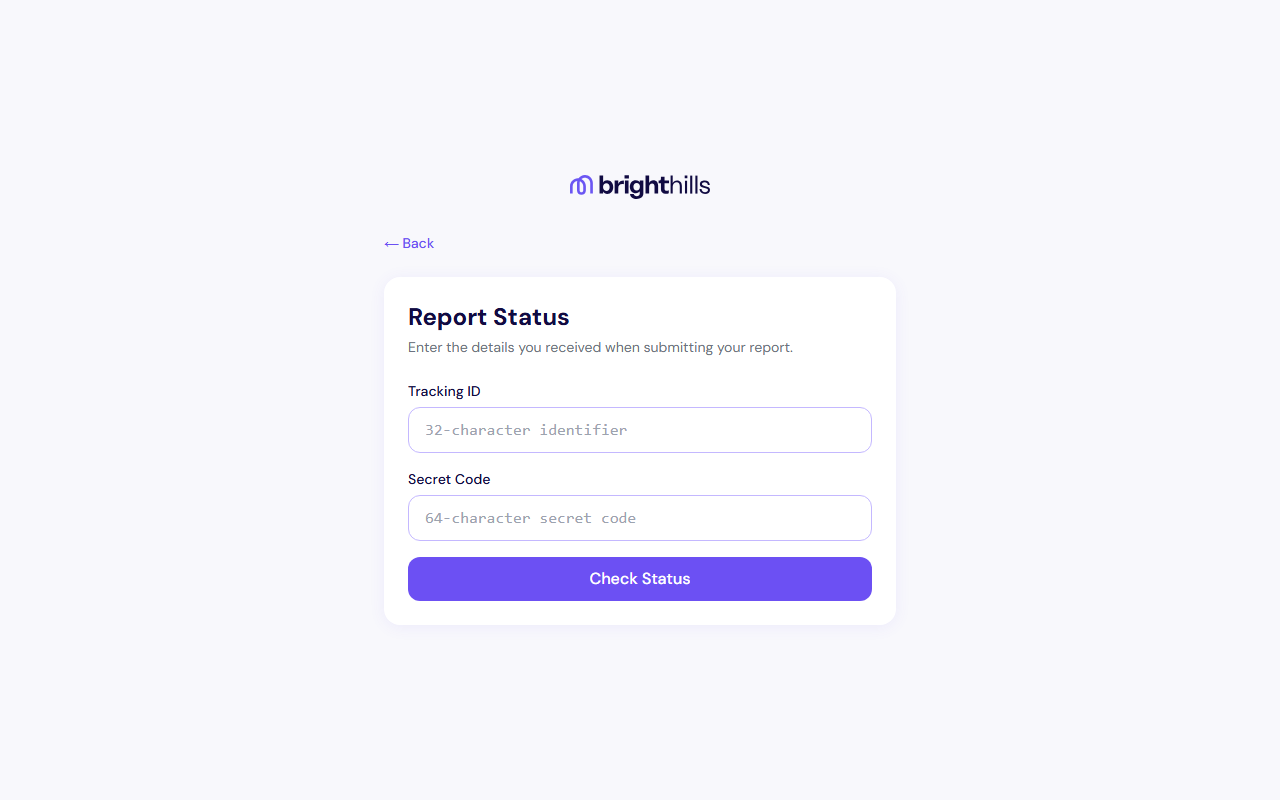
You can check the status of your report at any time by following these steps:
- Open the "Check Report Status" page from the homepage
- Enter your tracking ID
- Enter your secret code
- Click the "Check Status" button
Possible statuses
- New — The report has been received and is awaiting processing
- Acknowledged — Receipt of the report has been acknowledged (legal deadline: 7 days)
- Under Investigation — The report is currently being investigated
- Closed — The investigation has been completed
- Rejected — The report has been rejected (the reason for rejection is also shown)
Under Act XXV of 2023, receipt of a report must be acknowledged within 7 days, and the investigation must be concluded within 30 days (extendable to a maximum of 90 days where justified).
7 Legal background
Act XXV of 2023
The Hungarian Act on complaints, public interest disclosures, and whistleblowing. This Act transposes the EU Directive into Hungarian law.
EU Directive 2019/1937
The Directive of the European Parliament and of the Council on the protection of persons who report breaches of Union law. Its aim is to ensure uniform protection for whistleblowers across the European Union.
GDPR (EU) 2016/679
Personal data is processed in accordance with the General Data Protection Regulation. Both the reporter's and the reported person's data are protected.